![staffCircle_logo_trans3-1.png]](https://knowledge.staffcircle.info/hs-fs/hubfs/staffCircle_logo_trans3-1.png?height=50&name=staffCircle_logo_trans3-1.png)
Comms 💬
Notification Templates no longer reside in the Comms Configuration section, and instead have been split across each module for ease of access based on module usage.
Where employees are able to add posts to custom feeds, a rich text editor has now been exposed allowing for further style and presentation changes.
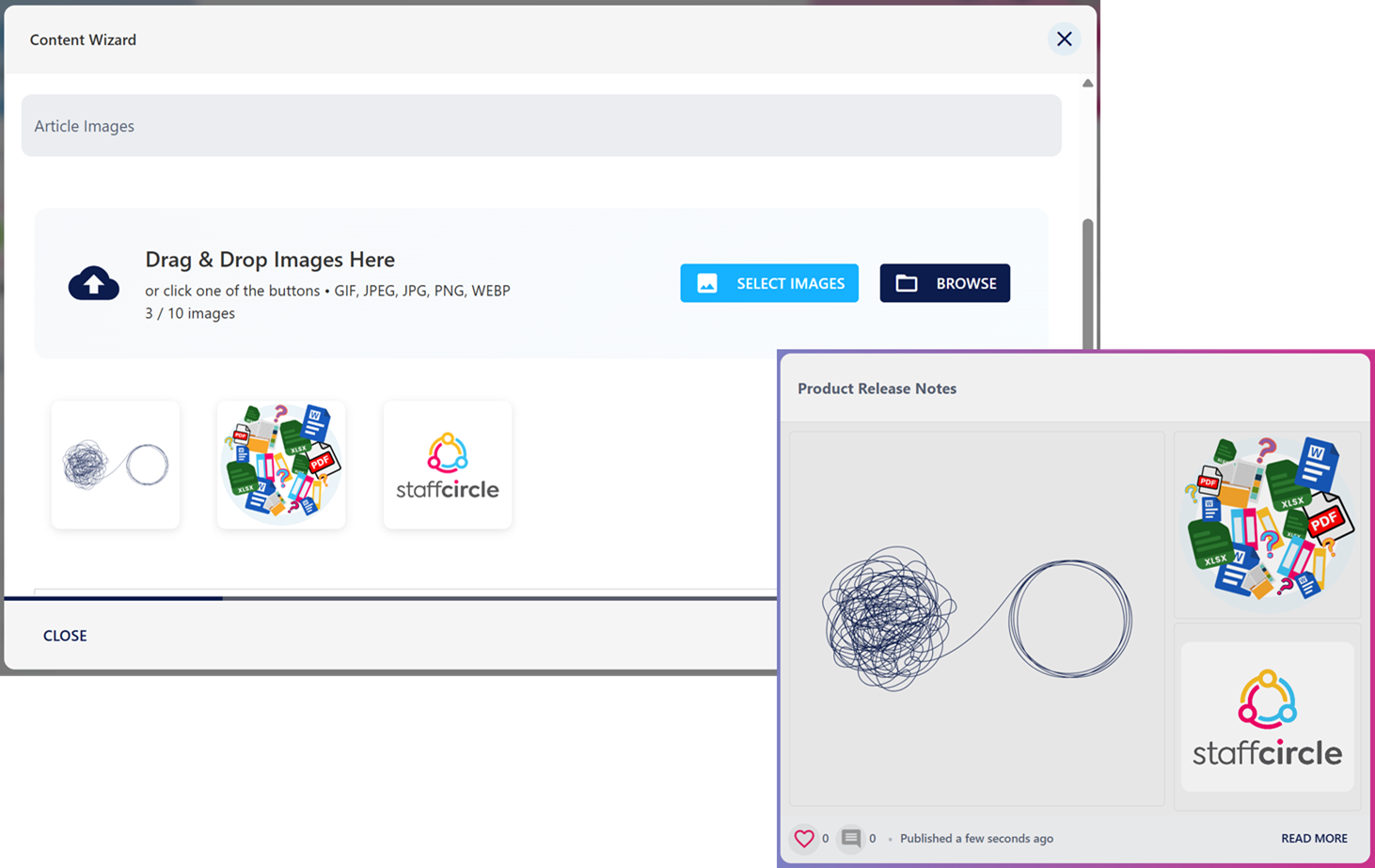
For both employees and content managers, the ability to add more than one image has been introduced, expanding the capability of comms posts.
Objectives & Reviews📝
On Track/Off Track/At Risk tags are visible against objectives in the manage view to provide better at-a-glance information.
The Key Results character limit for OKRs has been increased to allow for more detail to be captured.
When updating objectives, the Type field is now locked removing the ability to change the type of objective previously created. This is to allow for increased data integrity.
Updated Department Filtering to ensure accuracy when searching for objectives.
A terminology update has been applied to the reviews when acting as the Reviewer. Previously users would see "Manage", that would open the review and enable the user to provide feedback, whereas the update has renamed this to "Run Review", making the action more understandable.
Review due dates have now been converted to UTC, presenting the correct date and time across all Timezones.
People & Groups 👥
Two new search results have been introduced for awards and feedback:
- "Give an award", appended with each custom feed where awards can be given. This introduces ease of use when wanting to publicly give recognition to colleagues.
- "Give feedback". When clicked the user will be redirected to the Directory, with a new pop-up enabling them to select a colleague and provide either culture or performance based feedback.
IT Assets and Equipment now includes an option for both Mouse and Keyboard to help track common equipment.
Reporting 📊
The number of rows per page have been standardised across all reports.
Onboarding 📃
Increased clarity and ease of use by adding next and previous buttons when completing requested data forms as well as providing new wording for the new starter to let them know they have completed all steps.
Course Library📚
Updated presentation to ensure optimised display on all window sizes.